How Long Do Webcams Last?
When you invest in a webcam, you're buying a window to connect, create, or collaborate. Knowing how long that window will stay clear and functional is essential for planning and budgeting. So, how long do webcams last before they start showing their age or simply stop working altogether?
The answer isn't a single number, but a range influenced by a few key factors.
Most consumer-grade webcams, when used under typical conditions, can be expected to last anywhere from 3 to 5 years. However, this isn't a hard rule; some might fail sooner, while others, with careful handling and occasional software updates, could soldier on for much longer. It’s a blend of hardware durability and how well the supporting technology keeps pace.
Quick Look: How Long Do Webcams Typically Last?
Generally, a consumer webcam should function reliably for 3 to 5 years under normal usage. This lifespan can be shorter with heavy daily use or rough handling, and longer with minimal use and good care. For context, many rely on USB 2.0 or USB 3.0 standards, which themselves have a long operational life, but the webcam’s internal components and lens are the more likely points of failure.
What Affects How Long a Webcam Stays Good?
Several things chip away at a webcam's potential lifespan, turning a once-crisp image into something grainy or unreliable. It’s not just about how long the physical bits hold up; it's also about how well they play with the ever-changing world of computers and software.
Lens and Sensor Degradation
The heart of any webcam is its lens and image sensor. Over time, the lens, whether made of plastic or glass, can develop micro-scratches from dust or cleaning attempts. This degrades image clarity, making your video look softer or less sharp.
The image sensor itself, while protected, can also be susceptible to wear from prolonged exposure to light and heat, potentially leading to dead pixels or increased noise, especially in low-light conditions.
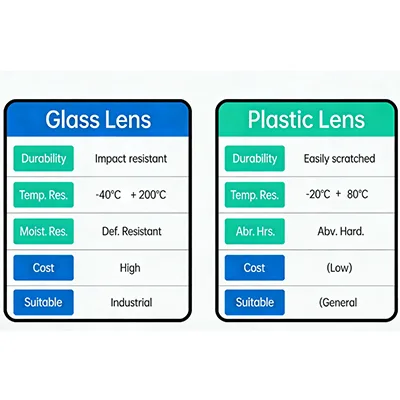
Image source: Web (Bing) / towinlens.com (Web image (fair-use with source credit))
Connectivity Issues and Port Wear
Webcams connect to your computer via USB ports. Repeatedly plugging and unplugging the USB cable can cause wear on both the cable's connector and the webcam's port. This can lead to intermittent connection issues, where the webcam drops out during calls, or it might stop being recognized by your computer altogether.
A frayed USB cable is another common culprit, often caused by bending it too sharply or by general wear and tear from being moved around.
Software and Driver Obsolescence
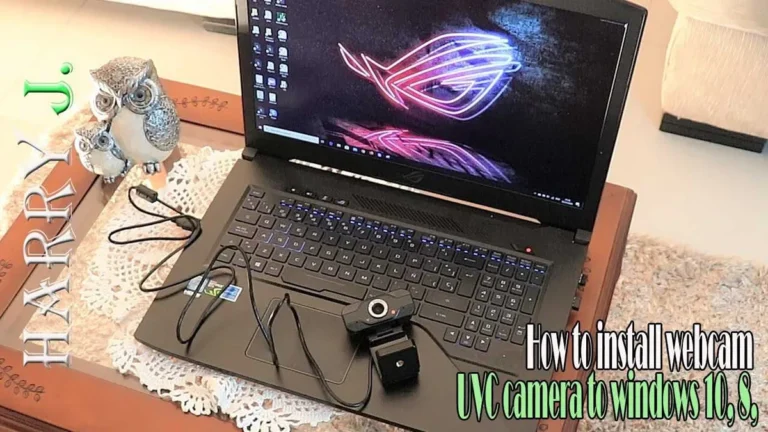
This is a big one that often goes unnoticed until it's too late. Webcam manufacturers provide software drivers that allow your operating system to communicate with the hardware. As operating systems get updated (think Windows 10 to Windows 11, or macOS versions), older drivers might become incompatible or lose support.
If the manufacturer stops releasing new drivers for an older model, that webcam can effectively become obsolete, even if its hardware is still physically sound. This can result in features not working, poor performance, or the device simply not being recognized by newer software.
Image source: Web (Bing) / pcmatic.com (Web image (fair-use with source credit))
Physical Damage and Environmental Factors
Let's face it, accidents happen. Dropping a webcam, even from a short distance, can dislodge internal components, crack the lens housing, or damage the sensor. Beyond accidental drops, constant exposure to heat from direct sunlight or being placed too close to vents on a computer can accelerate the degradation of internal electronics.
Dust buildup can also be an issue, potentially affecting cooling and causing components to overheat over extended periods.
Image source: Bing (Web (fair-use with source credit))
Real-World Lifespans: What Users Report
While manufacturers might give a general idea of durability, what users actually experience can vary wildly. Aggregate reviews and forum discussions paint a picture of webcams that are surprisingly resilient for some, while others meet an untimely end. Understanding these real-world scenarios helps set practical expectations.
The "Workhorse" Webcam: Daily Use Trends
For many professionals working remotely, a webcam becomes an indispensable tool used for several hours daily. In these scenarios, the average lifespan often sits around the 3-year mark. Users report that components like the USB connector or internal focusing mechanisms tend to be the first points of failure.
This is common for devices that are frequently moved, plugged and unplugged, or left running for extended periods. The constant electrical load and physical handling take their toll.
The "Creator" Webcam: Heavy Demands
Content creators, streamers, and those who rely on their webcam for high-quality video output often push their equipment harder. This can mean running cameras for many consecutive hours each day, often at higher resolutions or frame rates. For these demanding users, the effective lifespan might be closer to 2 to 4 years.
While the hardware might technically still function, the demand for better image quality and features in newer models often leads creators to upgrade sooner. Plus, the constant stream of software updates for creative suites can sometimes leave older webcam drivers in the dust, forcing a hardware refresh.
Common Webcam Problems That Signal End-of-Life
When your webcam starts misbehaving, it's often a sign that its functional life is drawing to a close. Ignoring these symptoms can lead to frustrating dropped calls or unusable footage. Recognizing these common issues can help you decide if it's time to look for a replacement.
Image Quality Drop-Off
One of the most noticeable signs of an aging webcam is a decline in image quality. This often manifests as increased visual noise, especially in lower light conditions where the sensor struggles to capture enough detail. Colors might appear washed out, or a persistent color cast could develop.
You might also notice autofocus becoming sluggish or inaccurate, leading to blurry shots that never quite sharpen up. This degradation is often due to wear on the image sensor or the lens elements.
Connectivity Woes
If your webcam frequently disconnects during video calls, or your computer struggles to recognize it upon startup, it's a clear indicator of connection problems. This could stem from a worn-out USB port on the webcam itself, a damaged USB cable, or even an issue with the computer's USB controller. Intermittent connections are particularly frustrating when you're in the middle of an important meeting or stream, often signaling that the physical connection points are failing.
Software Glitches and Driver Failures
Even if the hardware seems fine, software compatibility issues can render a webcam effectively useless. As operating systems like Windows and macOS receive frequent updates, older drivers may no longer be supported. You might encounter error messages when trying to launch the webcam software, or specific features might stop working.
If the manufacturer has ceased providing driver updates for an older model, it’s a strong signal that its usable life in modern computing environments is coming to an end.
When It's Time for a New Webcam
If you're experiencing frequent dropouts, a noticeably degraded image, or your computer simply won't recognize the device anymore, it's likely time to start shopping for a replacement. Continuing to troubleshoot a failing webcam can waste more time than it saves. It's also worth considering that technology marches on, and even a functional older webcam might lack features or performance needed for today's communication standards.
Signs You Need an Upgrade
Beyond the obvious signs of complete failure, subtle performance dips can signal it's time for a change. If your current webcam struggles in anything but perfect lighting, or if its field of view is too narrow for your setup, these are functional limitations that newer models easily overcome. Also, if you're constantly being asked to improve your video quality for important meetings or streams, that's a pretty clear signal.
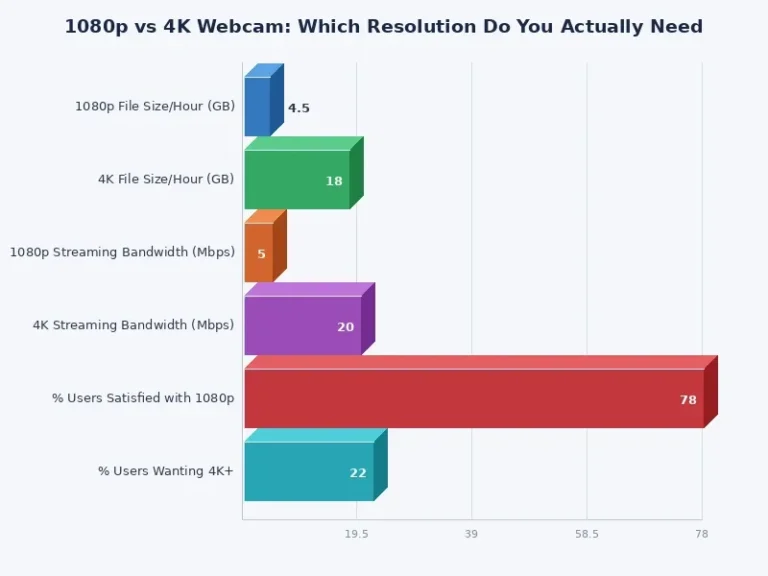
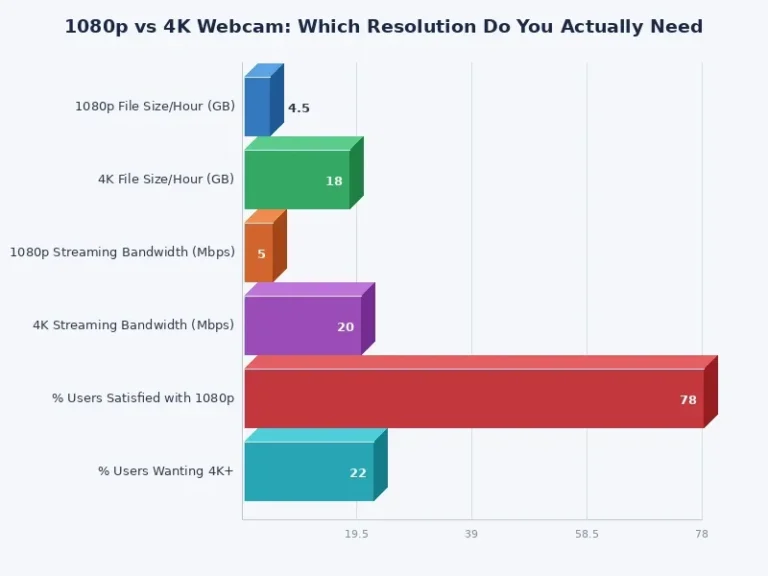
As of 2026, 1080p resolution is standard, and 4K is becoming more common for creators, leaving older 720p models feeling outdated.
The Cost of Waiting
Putting off a webcam upgrade when yours is failing can cost you more than just convenience. For professionals, poor video quality can create a negative impression, impacting your credibility. For content creators, it means missed opportunities for engagement and potentially lower monetization.
Considering that many decent 1080p webcams are now available for under $60, the cost of a new device is often minimal compared to the ongoing impact of poor performance.
Expert Tips for Making Your Webcam Last Longer
While some component failures are inevitable, adopting good habits can significantly extend the useful life of your webcam. It's about treating it with a bit of care and being mindful of how it interacts with your computer.
Smart Usage Habits
Avoid unnecessary wear by unplugging your webcam when it’s not in use, especially if it’s a portable model. This reduces electrical stress on the device and its port. When you do need to connect it, align the USB connector carefully to prevent bending or forcing it.
Also, be mindful of its placement; avoid leaving it in direct sunlight or too close to heat sources like computer towers or radiators, as excessive heat can degrade electronics over time.
Basic Maintenance and Care
Keep the webcam’s lens clean using a microfiber cloth specifically designed for optics. Avoid abrasive materials or harsh cleaning solutions that can scratch the lens. If dust builds up around the casing, gently clean it with a dry brush or compressed air.
For software, make it a habit to check for driver updates periodically, especially after major operating system updates. This proactive approach can prevent compatibility issues before they arise and ensure optimal performance.
Frequently Asked Questions About Webcam Longevity
How many years can a webcam typically last?
Most webcams, with average use, can last between 3 to 5 years. This range can vary based on build quality, usage intensity, and how well it's maintained.
What are the most common reasons webcams fail?
Common failure points include wear and tear on the USB connector and cable, image sensor degradation, and software driver obsolescence as operating systems update. Physical damage from drops or overheating also contributes.
Can I extend the life of my old webcam?
Yes, by handling it carefully, keeping the lens clean, avoiding extreme temperatures, and ensuring its drivers are updated whenever possible, you can often extend its lifespan.
Is it worth repairing a broken webcam?
For most consumer-grade webcams, repair is often not cost-effective. The price of replacement parts and labor can quickly exceed the cost of a new, often better-performing, webcam.
What's the difference between a webcam's lifespan and its technological relevance?
Lifespan refers to the physical working life of the hardware. Technological relevance is about whether the webcam's features, resolution, and performance meet current standards and software requirements. A physically functional webcam might become technologically obsolete.
Weighing Your Options: When is Repair Worth It?
Deciding whether to repair a failing webcam or buy a new one largely comes down to economics and practicality. For budget webcams, the cost of any repair, be it a new USB cable, internal soldering, or lens replacement, will likely approach or exceed the price of a brand-new device. Many entry-level webcams can be found for under $30 or $40.
However, for higher-end or professional-grade webcams that might cost $100 or more, repair might be a more viable consideration if the issue is straightforward, like a damaged cable that can be easily swapped. Always compare the quote for repair against the price of a comparable new model. Given the rapid pace of technological advancement in areas like sensor quality and autofocus, even a repaired older webcam might not offer the performance of a contemporary option.