How Far Away Should You Sit From a Webcam?
Getting your webcam distance right is key to looking and sounding your best on video calls. Sit too close, and you might feel like you're staring down the person you're talking to. Too far, and you risk becoming a tiny, indistinct figure in a vast background.
Finding that perfect spot makes all the difference for clear, engaging communication.
The ideal distance usually falls between 3 to 5 feet (about 1 to 1.5 meters) from your webcam for a standard medium shot. This range provides a good balance, showing your face and upper body clearly without feeling intrusive. Manufacturer specifications for webcam Field of View (FOV) often influence how this distance plays out, with wider FOVs allowing for more flexibility.
Why Your Webcam Distance Matters for Video Calls
Getting your webcam distance right isn't just about vanity; it's about effective communication. When you're properly framed, your facial expressions come through clearly, which is crucial for building rapport and understanding. Think about how much you rely on subtle nods, smiles, or concerned looks in face-to-face conversations.
These cues get lost if you're too far away, or they can feel overly intense if you're too close. It directly impacts how professional you appear and how engaged your audience feels.
How Far Away Should You Sit From a Webcam?
You should generally sit between 3 to 5 feet (about 1 to 1.5 meters) from your webcam for most standard video calls. This distance typically allows for a medium shot, capturing your head, shoulders, and upper torso. This framing is considered ideal because it offers a good balance between showing your facial expressions and providing enough context from your surroundings.
Finding Your Webcam's "Sweet Spot": The Visuals
The "sweet spot" for webcam distance is all about achieving good visual framing. Imagine you're taking a portrait photo; you wouldn't stand right in front of the lens, nor would you be in the next room. The same principle applies here.
What you want is to be neither too close that you fill the entire frame (and potentially cut off the top of your head), nor too far that you appear as a small, distant element. It's about presenting yourself clearly and comfortably.

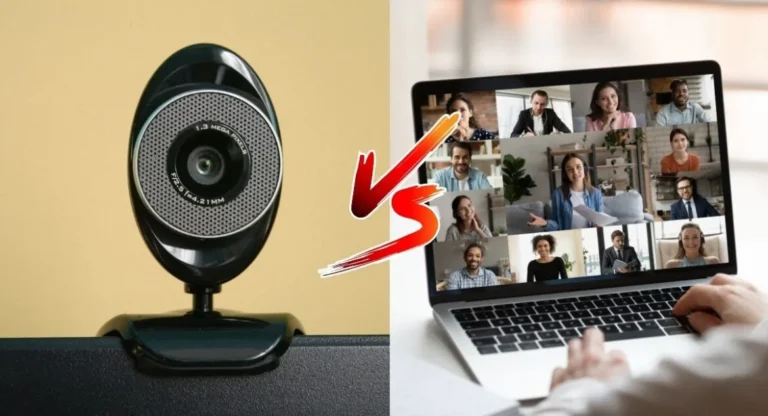
Image source: Web (Bing) / stablediffusionweb.com (Web image (fair-use with source credit))
This balance ensures viewers can easily see your face and body language, promoting better connection and reducing distractions. If your webcam has a very wide field of view, you might find you can sit a bit further back and still get a good shot. Conversely, a narrower field of view will require you to be closer.
What Makes a Good Webcam Shot?
A good webcam shot feels natural and allows for clear communication. It means your face is well-lit and prominent in the frame, but you also have a bit of breathing room. You should be able to see your facial expressions, hand gestures (if you use them), and a portion of your upper body.
The goal is to appear present and engaged, not overwhelming or distant. This typically means having some negative space above your head and on the sides of your shoulders.
How Field of View Changes Everything
The Field of View (FOV) on your webcam is a critical factor in determining the right distance. FOV essentially describes how wide an angle your camera can capture. Webcams can range from narrow (like 60 degrees) to very wide (over 100 degrees).
- Narrow FOV: Requires you to sit closer to fill the frame appropriately. If you sit too far back, you'll appear small.
- Wide FOV: Allows you to sit further back and still capture a good portion of yourself and your surroundings.
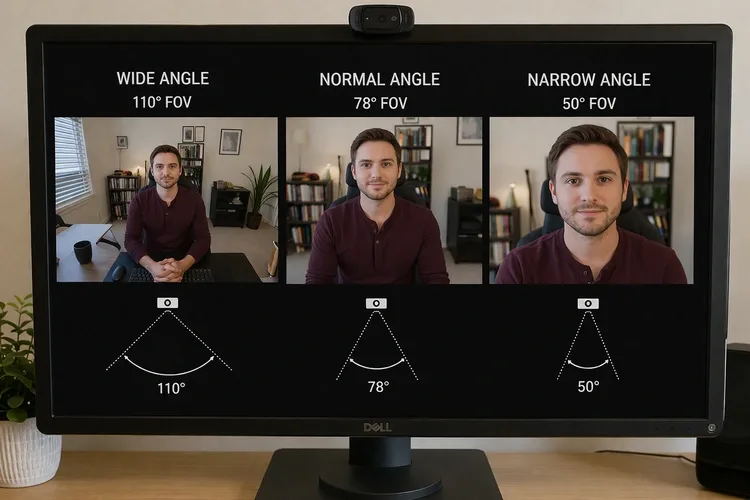
Image source: Web (Bing) / ceedo.com (Web image (fair-use with source credit))
For instance, a webcam with a 78-degree FOV, common on many laptops, often works well at the 3-5 foot range for a medium shot. A webcam with a 90-degree FOV might let you sit a bit further back or include more of your background. Understanding your webcam's FOV specification, often found on the manufacturer's website, is your first step in figuring out your ideal distance.
General Distance Guidelines: Headshot vs. Medium Shot
The distance you should sit from your webcam largely depends on the type of shot you're aiming for. Most people will aim for one of two common framings for video calls.
Headshot (Close-up): This shot focuses primarily on your face, from about the top of your head down to your chin, and might include a sliver of your shoulders. To achieve this, you'll need to be relatively close to the webcam, typically 1.5 to 3 feet (about 0.5 to 1 meter) away. This can be effective for intense discussions or when you want to convey strong emotion, but be mindful that it can feel a bit too intimate if overused or if the camera angle isn't flattering.
Medium Shot: This is the most popular and generally recommended framing for everyday video calls and meetings. It shows your head, shoulders, and upper chest. This shot is best achieved by sitting 3 to 5 feet (about 1 to 1.5 meters) from your webcam.
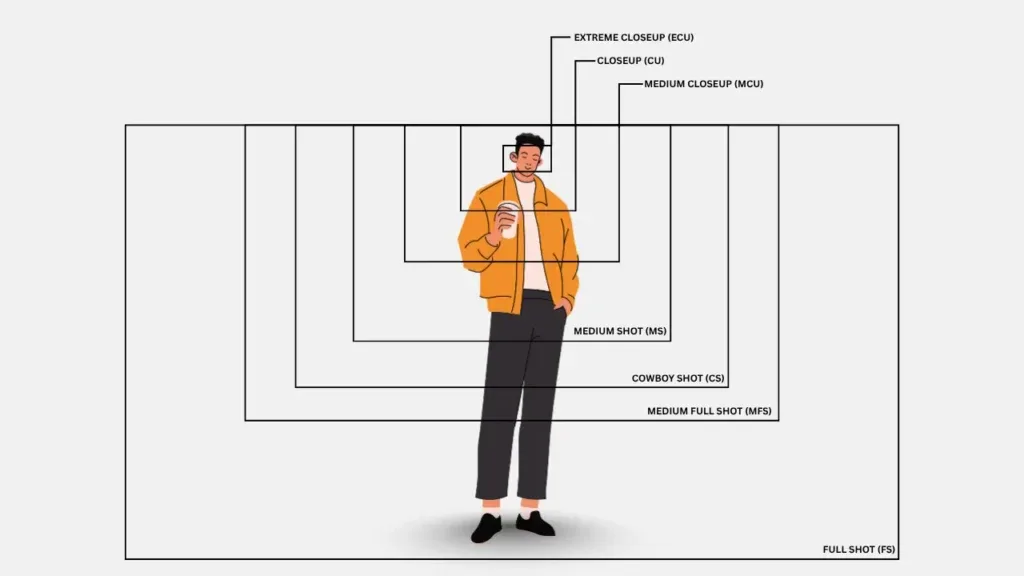
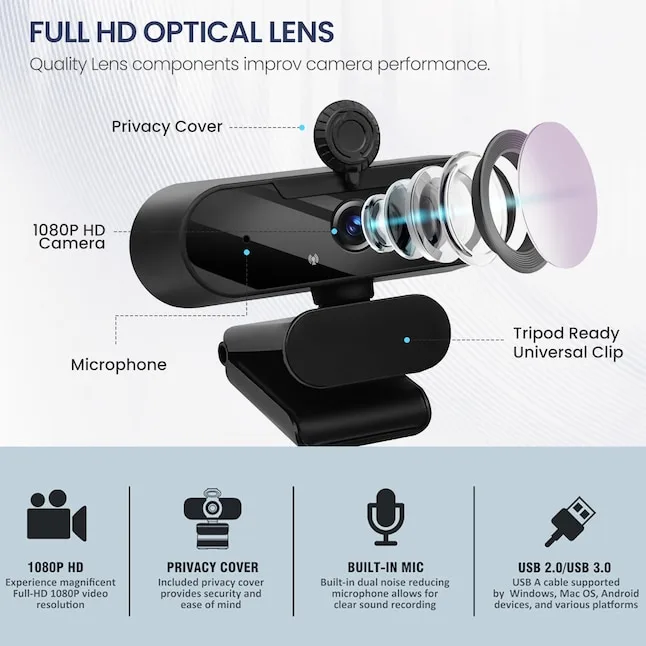
Image source: Bing (Web (fair-use with source credit))
This distance provides a comfortable viewing experience for others, allowing them to see your expressions and some of your body language without feeling like they're too close to you. It also allows for a bit more background context to be visible, which can make the call feel more natural.
Mastering Your Framing: Practical Adjustments
Once you have a general idea of the distance, you'll want to fine-tune your framing. This often involves two key adjustments: your seating position relative to the camera and the height of the camera itself. These tweaks ensure you look your best and that your video call presence is professional.
Adjusting Your Seating Position
Your exact seating position can make a big difference. Even if you're at the right distance, leaning forward or backward can change how you appear. Try to sit upright, maintaining a consistent posture.
If you're too far back and appear small, you might need to move your chair closer. If you're too close and feel cramped, move back slightly. The goal is to fill about two-thirds of the vertical space on your screen with your body from head to chest.
Adjusting Camera Height
This is often overlooked but is crucial for good framing. Ideally, your webcam should be positioned at or slightly above eye level. This mimics natural eye contact and makes you appear more confident and present.
If your webcam is too low (e.g., on your desk looking up at you), it can create an unflattering "up the nose" angle. If it's too high, you might look like you're talking down to people. You can adjust camera height using a tripod, a monitor mount, or even by placing books or a stand under your laptop or external webcam.
Common Webcam Distance Mistakes to Sidestep
When setting up for a video call, there are a few common mistakes people make regarding their distance from the webcam. Avoiding these can significantly improve your on-screen appearance and communication.
Being Too Close: This is probably the most frequent error. When you're too close, your face can dominate the frame, making it feel intrusive or uncomfortable for the viewer. It also makes it hard to capture your shoulders or any helpful body language. Your expressions might also appear exaggerated.
Being Too Far Away: On the flip side, sitting too far back means you become a small, indistinct figure. It's difficult for others to read your facial cues or feel a personal connection, making the conversation less engaging. You might also lose image quality and appear fuzzy.
Constantly Shifting Position: While fine-tuning is good, constantly leaning in and out or fidgeting with your chair during a call is distracting for everyone else. It breaks the flow of conversation and makes you seem restless or unsure. Aim to find a stable, comfortable position before the call begins.
Expert Tips for Picture-Perfect Video Presence
Achieving the perfect webcam distance is part of a larger puzzle for good video presence. Good lighting is non-negotiable; it makes you look alert and professional, while poor lighting can hide your features or create distracting shadows. Aim for light sources in front of you, not behind.
Also, consider your background. A clean, uncluttered background keeps the focus on you. If your background is too busy, it can detract from your message.
When you find your ideal distance, like the 3 to 5 feet for a medium shot, ensure your camera is stable. A wobbly camera is distracting. If you're using a laptop, placing it on a stack of books or a dedicated stand can help achieve the correct height, which is just as important as distance for natural eye contact.
For external webcams, a small tripod or clip mount works well.
Frequently Asked Questions About Webcam Distance
What's the minimum distance I should sit from my webcam?
The minimum distance depends heavily on your webcam's Field of View (FOV). For a tight headshot, around 1.5 to 3 feet (0.5 to 1 meter) is common. However, sitting too close can feel intense, so a slightly greater distance is often preferred for comfort.
Is there a maximum distance I can sit from my webcam?
There isn't a strict maximum, but sitting too far back will reduce your image quality and make it difficult for viewers to see your expressions. Generally, if you're further than 5-6 feet, you'll likely appear too small in the frame for effective communication.
How do I know my webcam's Field of View?
Check your webcam's product specifications on the manufacturer's website or in its original packaging. FOV is usually listed in degrees, such as 78°, 90°, or 110°. This spec is crucial for determining the appropriate seating distance.
Can I use a very wide-angle webcam for close-up shots?
You can, but you'll need to sit very far back to avoid distortion and a fisheye effect common with ultra-wide lenses. For standard video calls, a wide-angle lens is better suited for capturing more of your environment or fitting multiple people into the frame.
Does the room size affect how far away I should sit?
Yes, room size can play a role. In a small room, you might be limited in how far back you can move. In a large room, you have more flexibility.
Always prioritize clear framing and a comfortable viewing experience for your audience over simply filling the space.