Can You Attach a Camera to a Spotting Scope?
Ever found yourself gazing through a spotting scope, spotting something amazing, and wishing you could freeze that moment forever? It’s a super common thought, and luckily, the answer to "Can You Attach a Camera to a Spotting Scope?" is a resounding yes. However, it's not always a direct screw-on affair; it typically involves a few specific adapters and a bit of know-how to get it right.
We're talking about essentially turning your powerful spotting scope into a very long telephoto lens for your camera. This process, often called digiscoping, can unlock some incredible photographic opportunities for wildlife, birds, and even distant landscapes. In our research, we've found that the best approach depends heavily on the equipment you have and the quality you're aiming for, with solutions ranging from simple smartphone clamps to more integrated T-mount systems.
Digiscoping: The Basic Idea and What It Involves
Digiscoping is the technique of connecting a camera to a spotting scope to capture images or video. Think of your spotting scope as a fixed, powerful lens. Your camera then acts as the sensor to record what that "lens" sees.
This setup is popular among birdwatchers and nature enthusiasts who want to share their sightings or document wildlife without needing an expensive, specialized telephoto lens. The fundamental principle is to align the camera's sensor perfectly with the spotting scope's eyepiece to gather as much light and detail as possible.
There are two primary methods for achieving this connection, each with its own set of requirements and ideal use cases. Understanding these differences is key to choosing the right path for your photographic goals. The quality of the final image often hinges on the precision of this connection and the stability of the entire rig.
Eyepiece Digiscoping: The Simple Approach
This is generally the most accessible and budget-friendly way to start digiscoping. It involves placing your camera, most commonly a smartphone, directly against the spotting scope's eyepiece. The main challenge here is achieving a perfect alignment so that the camera lens captures the full circle of the magnified image without vignetting (darkening around the edges).
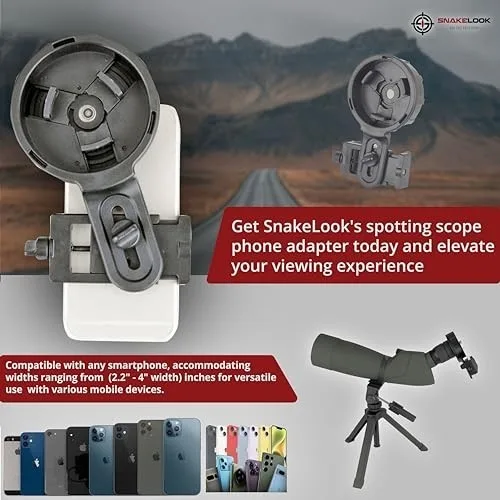
Many dedicated adapters are designed specifically for this purpose, holding your smartphone securely in place.
The process is straightforward: you attach an adapter to the spotting scope's eyepiece. You then mount your smartphone into the adapter. You focus the spotting scope using its own focus knob.
Finally, you use your smartphone's camera app to frame and capture the image, often with manual focus adjustments on the phone itself for fine-tuning. This method is excellent for quick snapshots and sharing observations on the go.
While effective, this method's image quality can be limited by the smartphone's sensor and lens. However, modern smartphone cameras are quite capable, and for many casual users, the results are more than satisfactory.
T-Mount Digiscoping: The More Advanced Setup
For those seeking higher image quality and a more robust setup, T-mount digiscoping is the way to go. This method involves removing the spotting scope's eyepiece and attaching a specialized T-mount adapter directly to the scope's body. This adapter then accepts a T-ring, which in turn attaches to a DSLR or mirrorless camera body, effectively turning the camera into the imaging component.
This approach bypasses the spotting scope's eyepiece entirely, which can reduce potential optical distortions and light loss. It offers a more direct and stable connection between the camera and the scope's optical system. Manufacturer specifications for T-mount adapters often highlight the thread type, such as a standard M42x0.75 thread, common in astrophotography and T-mount systems.
This setup is favored by more serious photographers looking to leverage the magnification of their spotting scope with the advanced features of a dedicated camera.
While it requires a greater investment in specialized adapters and a compatible camera, T-mount digiscoping offers the potential for superior image resolution and control.
Essential Gear: Adapters, Cameras, and Stability
To successfully attach a camera to a spotting scope, you'll need a few key pieces of equipment. At the heart of the setup is the adapter, which acts as the bridge between your scope and your camera. The type of adapter you choose will largely depend on the camera you plan to use and the level of quality you're after.
Beyond the adapter, stability is paramount; without it, even the best equipment will produce blurry, unusable images.
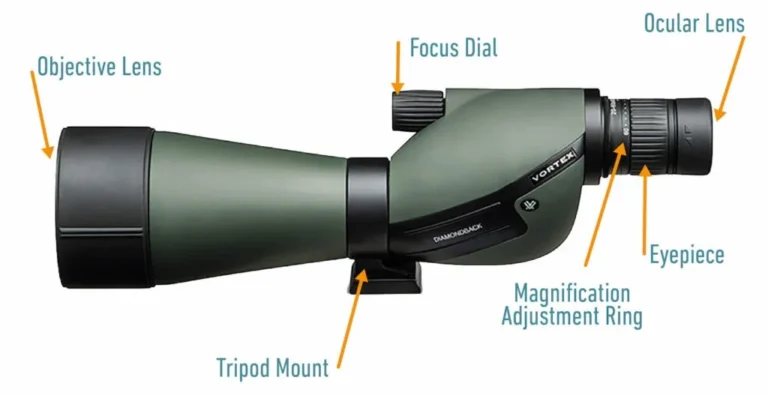
Your spotting scope itself is the primary optical tool. Its magnification and optical quality will directly influence the final image. For cameras, smartphones are the most common and accessible choice for eyepiece digiscoping due to their portability and ease of use.
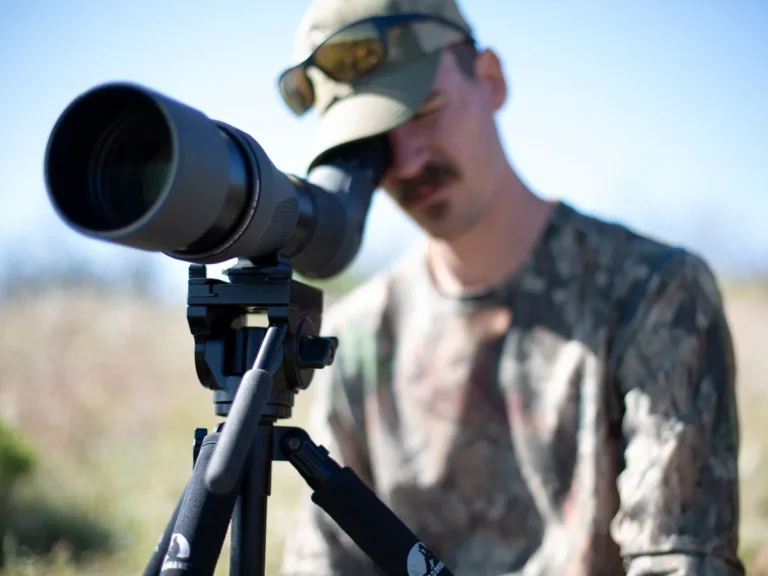
Dedicated cameras, like DSLRs or mirrorless models, are typically used with T-mount adapters for higher-end results. Finally, a sturdy tripod is non-negotiable. A robust tripod will minimize vibrations, which are amplified at the high magnifications spotting scopes offer.
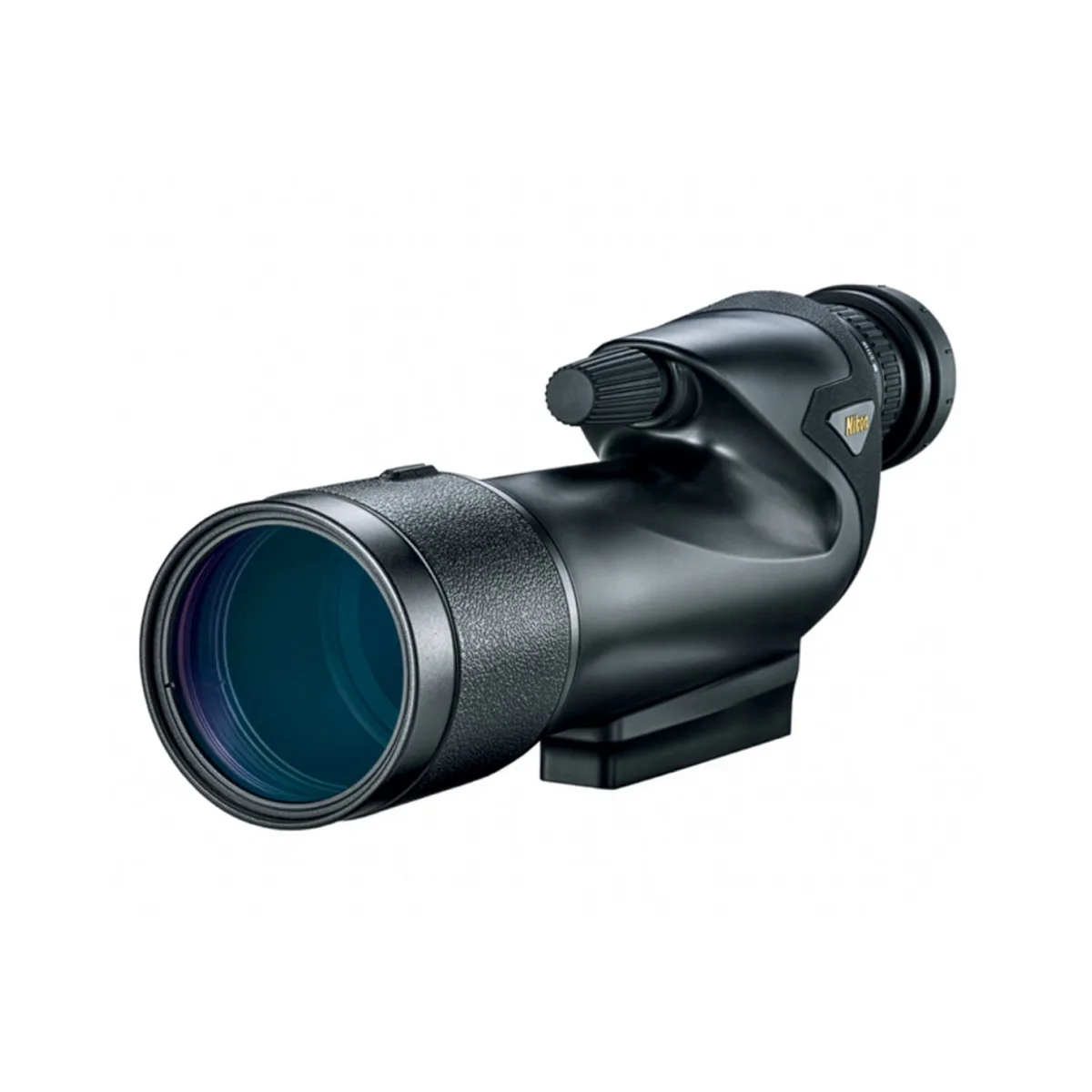
Image source: Web (Bing) / focuscamera.com (Web image (fair-use with source credit))
Choosing the Right Adapter: Smartphone Clamp vs. T-Mount
The adapter is the critical component that allows you to connect a camera to your spotting scope. Your choice boils down to two main types: smartphone adapters and T-mount adapters. Each is designed for different camera types and offers varying levels of quality and ease of use.
Smartphone Adapters are typically simple, clamp-like devices. They securely hold your smartphone and align its camera lens precisely over the spotting scope's eyepiece. They are generally inexpensive and very easy to set up, making them ideal for beginners or those wanting quick, shareable photos.
They work by physically holding the phone in position, requiring careful alignment to avoid dark edges or a cropped view.
T-Mount Adapters are more specialized and intended for use with DSLR or mirrorless camera bodies. These adapters usually replace the spotting scope's eyepiece entirely, threading directly onto the scope. They then provide a standard T-thread mount onto which a camera-specific T-ring is attached.
This creates a much more rigid and direct connection, minimizing play and potential for vibration. This method bypasses the scope's eyepiece, potentially offering cleaner optical paths.
| Adapter Type | Camera Type | Ease of Use | Cost | Image Quality Potential | Stability |
|---|---|---|---|---|---|
| Smartphone Adapter | Smartphone | High | Low | Moderate | Moderate |
| Universal Camera Adap | Compact Digital Camera | Medium | Medium | Good | Good |
| T-Mount Adapter | DSLR/Mirrorless | Low | High | Excellent | Very High |
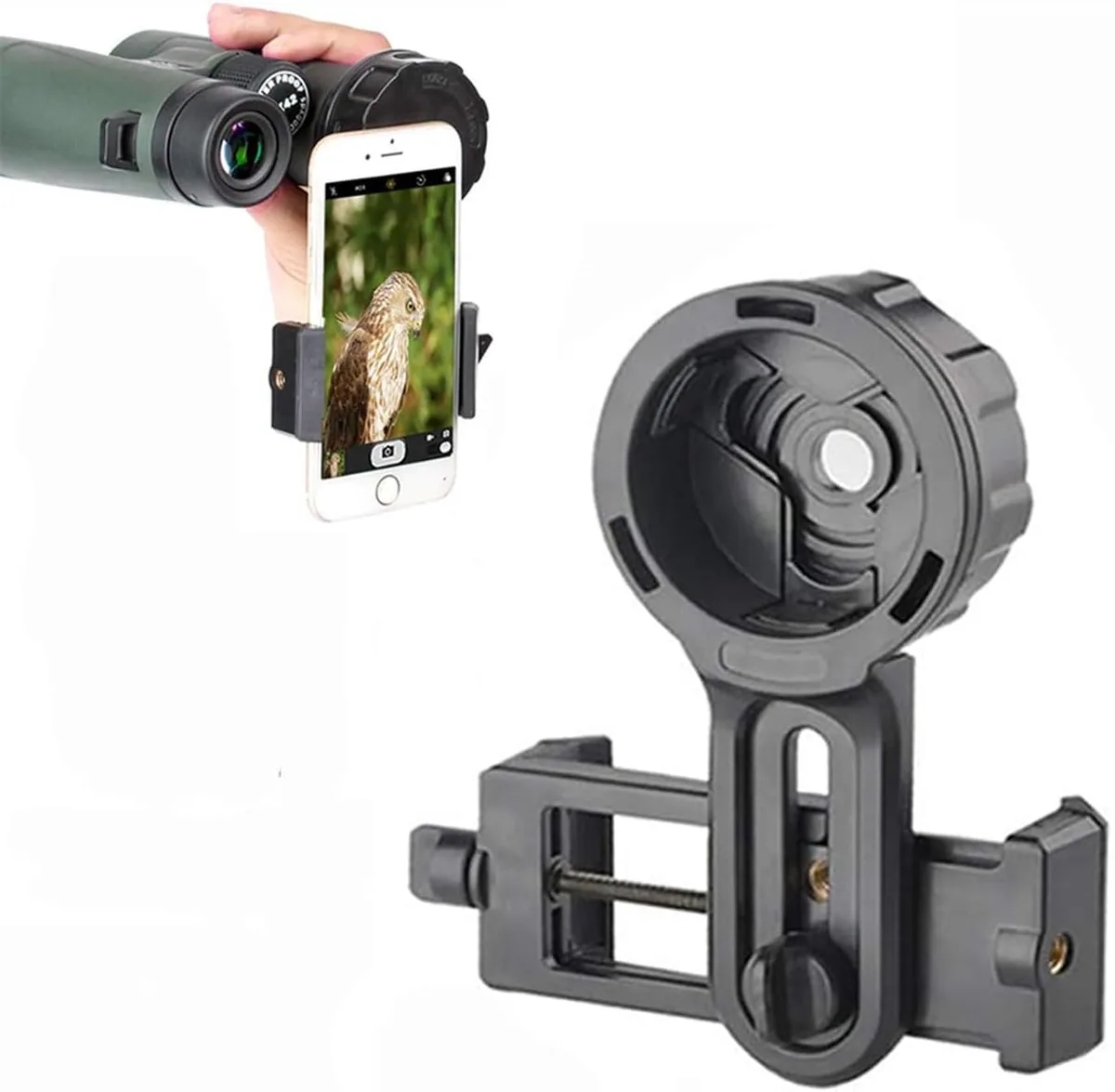
Image source: Web (Bing) / amazon.com (Web image (fair-use with source credit))
Making It Work: Focusing, Stability, and Shooting Tips
Once you have your gear, the real work is in getting the perfect shot. The key to successful digiscoping lies in meticulous focusing, absolute stability, and patient technique. You're working with high magnifications, which means even the slightest tremor will result in a blurry image.
First, set up your spotting scope on a sturdy tripod. Ensure it's level and secure. Next, attach your camera adapter and camera.
If you're using a smartphone, position it within the adapter and align its lens with the spotting scope's eyepiece. If you're using a T-mount adapter with a DSLR, attach the camera body to the T-mount.
Focusing is often the trickiest part. You'll need to use the spotting scope's focus knob to achieve initial sharpness. Then, use your camera's live view screen to fine-tune the focus.
For smartphones, you might be able to tap to focus or use manual focus controls within your camera app. With DSLRs, manual focus is usually essential. Aggregate user reviews often suggest practicing this focusing step extensively in good light before heading out for critical shots.
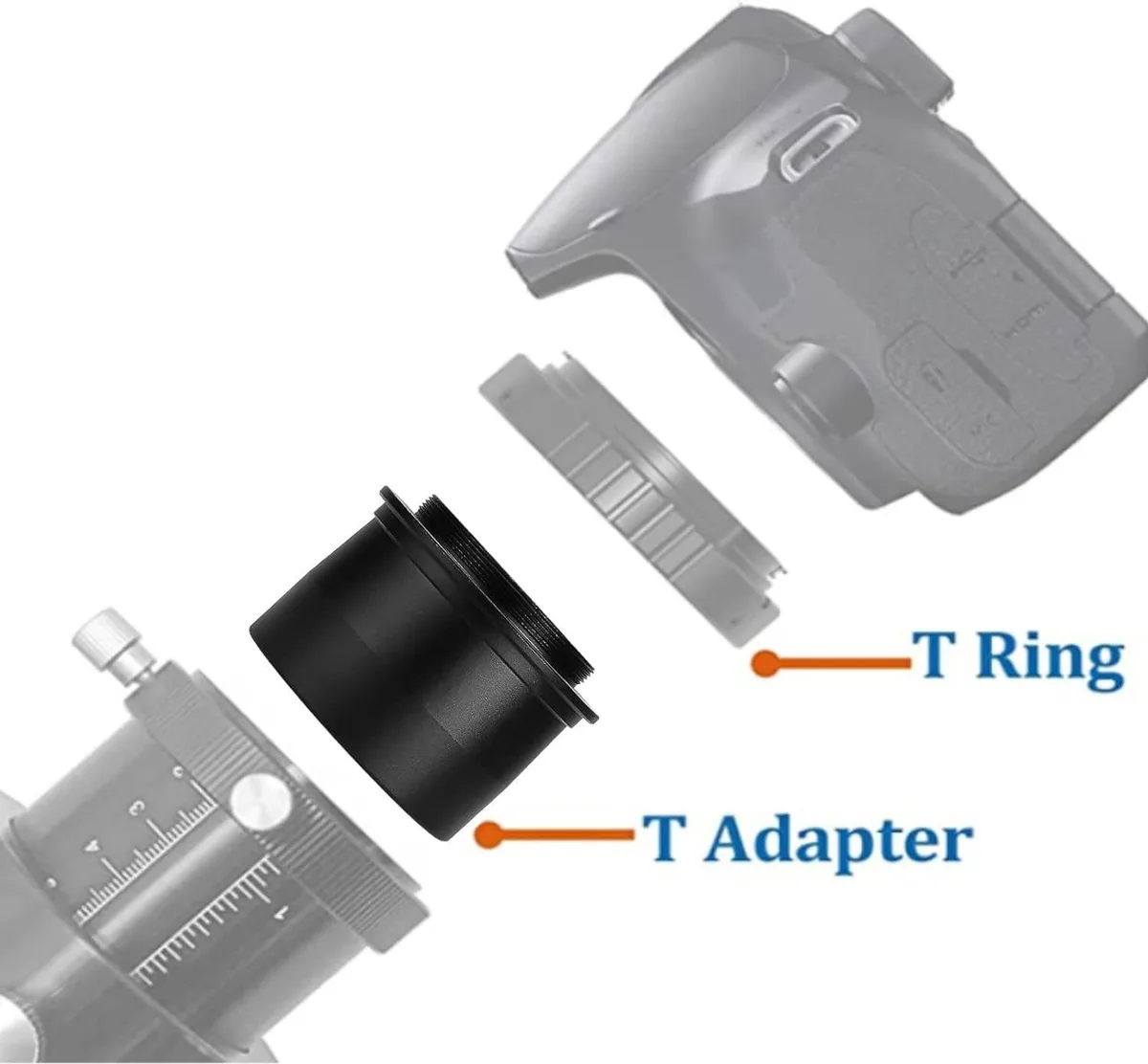
Image source: Web (Bing) / spacearcade.in (Web image (fair-use with source credit))
Who Is This For? Ideal Use Cases and Users
The decision to attach a camera to a spotting scope really comes down to what you're trying to achieve and your tolerance for specialized gear. If you’re a dedicated birder who loves sharing your sightings or wants to build a photographic archive of your discoveries, digiscoping is an excellent option. It allows you to capture detailed images of birds that might be too far away for a standard telephoto lens.
For wildlife photographers focusing on subjects that are hard to approach, it offers a way to increase effective focal length.
This technique is also fantastic for nature enthusiasts who want to document their experiences. Imagine capturing a clear shot of a distant herd of deer or a unique plant species from a respectful distance. It's a practical solution for those who already own a spotting scope and want to expand its capabilities without a significant new camera investment, especially if they plan to use their smartphone.
For more serious photographers, especially those interested in digiscoping through a T-mount, the goal is often to achieve higher resolution and better control over image quality. This can be beneficial for documenting insects, reptiles, or even lunar details if your scope is powerful enough. Essentially, if you value magnification and can invest in the right adapters and stability, digiscoping opens up new photographic avenues.
FAQs About Cameras and Spotting Scopes
Can I use any camera with a spotting scope?
Generally, yes, but you'll likely need an adapter. Smartphones are the easiest to connect using specialized clamps. For DSLR or mirrorless cameras, you'll typically need a T-mount adapter system.
The specific adapter required depends on your camera's mount and the spotting scope's eyepiece design.
Will the image quality be as good as a professional telephoto lens?
It can be very good, but it depends on your equipment and technique. Eyepiece digiscoping with a smartphone might not match a high-end telephoto lens, especially in low light or for fast-moving subjects. T-mount digiscoping with a good camera body and spotting scope can produce excellent, detailed images, especially for static subjects like birds.
However, field of view and autofocus performance might still differ.
How do I get sharp focus when digiscoping?
Achieving sharp focus is critical and often requires practice. You'll first focus the spotting scope itself. Then, use your camera's live view to zoom in and manually adjust the spotting scope's focus knob for maximum sharpness.
Using your camera's manual focus controls, if available, can also help fine-tune the image. A remote shutter release is also key to avoid introducing shake during focus or capture.
Is digiscoping difficult to set up?
Setting up is generally straightforward, especially with smartphone adapters. Attaching the adapter and camera takes only a few minutes. The real challenge lies in mastering the focusing and stability techniques.
It requires patience and practice to get consistently sharp results, particularly at high magnifications.
What kind of tripod do I need for digiscoping?
You need a sturdy, stable tripod. Spotting scopes magnify distant objects, and this magnification also amplifies any vibrations. A lightweight, flimsy tripod will likely result in blurry photos.
Look for a tripod with a robust head, good leg locks, and sufficient height. A well-balanced tripod is essential for holding your spotting scope and camera steady.