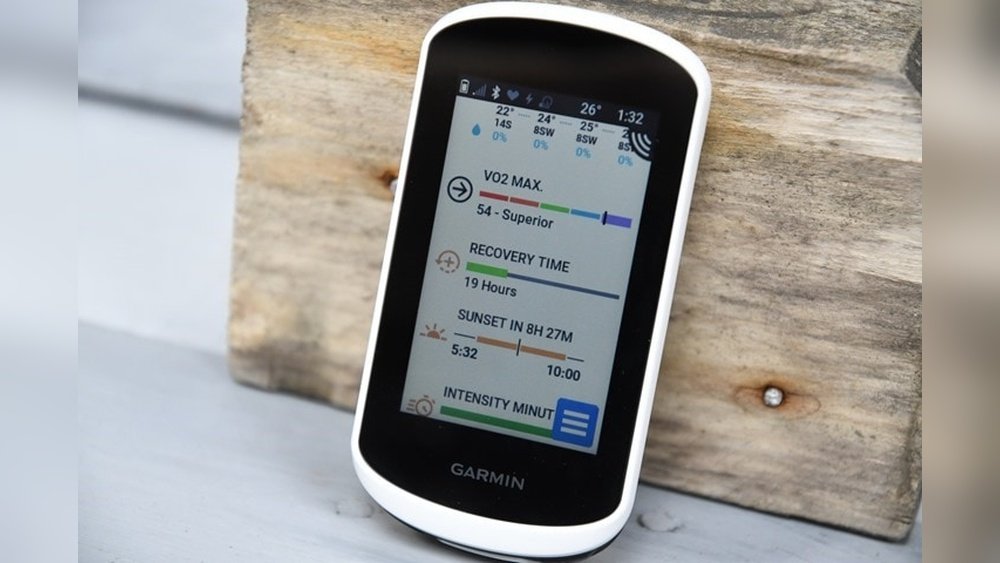
Is Garmin Edge Explore 2 Worth It? Unveiling the Real Value
Is Garmin Edge Explore 2 Worth It?
Cycling has changed a lot in the last decade. GPS bike computers are now must-have tools for both casual riders and serious cyclists. Among the many choices out there, the Garmin Edge Explore 2 stands out as a popular mid-range option. But is it really worth your money? This is a question riders ask before investing in any tech. Let’s break down what makes this device unique, who it’s for, and whether it’s the right pick for your next ride.
What Is Garmin Edge Explore 2?
The Garmin Edge Explore 2 is a dedicated GPS cycling computer. It’s designed mainly for those who want easy-to-use navigation and basic ride tracking. Unlike Garmin’s top-tier Edge models (such as the Edge 1040), the Explore 2 focuses on simplicity and value instead of advanced training features. This makes it a strong choice for recreational cyclists, commuters, and bike tourers.
You get a bright 3-inch touchscreen, preloaded maps with turn-by-turn directions, and long battery life. The device supports ANT+ and Bluetooth connections, so it pairs with heart rate monitors, speed sensors, and smartphones. It also adds eBike support—a feature many older models lack.
Key Features Overview
Before diving deeper, here are the main features of the Garmin Edge Explore 2:
- 3-inch color touchscreen (glove-friendly, rain-resistant)
- Preloaded Garmin Cycle Maps with turn-by-turn navigation
- Battery life: Up to 16 hours in normal use, up to 24 hours in battery saver mode
- ANT+ and Bluetooth connectivity for sensors and smartphone sync
- EBike integration (for compatible systems)
- Incident detection and live tracking
- USB-C charging
- ClimbPro for climb information
- Customizable data screens
- Weather alerts and smart notifications
Many of these features are found in more expensive computers, but the Explore 2 offers them at a lower price.

Who Should Consider The Edge Explore 2?
Not every cyclist needs the same tools. The Edge Explore 2 is designed for:
- Recreational cyclists: Those who want easy navigation, ride recording, and safety features without complex training metrics.
- Touring riders: Anyone planning multi-day trips or exploring unknown routes will benefit from the strong navigation tools.
- Commuters: Daily riders who want route guidance, safety alerts, and integration with their smartphones.
- EBike users: The Explore 2 talks directly with many eBike systems, showing battery level, range, and motor assistance.
- Tech-light cyclists: If you want a device that “just works” without a steep learning curve, this is a solid option.
Advanced racers and data-driven athletes, however, may want more detailed training analysis or power-based features found in higher-end models.
Design And Build Quality
The first thing you’ll notice is the large 3-inch touchscreen. It’s bright, easy to read in sunlight, and works with gloves or wet fingers. The device itself weighs about 104 grams, which is light enough for most setups. The casing is sturdy, with a simple, clean look—no unnecessary buttons or flashy design.
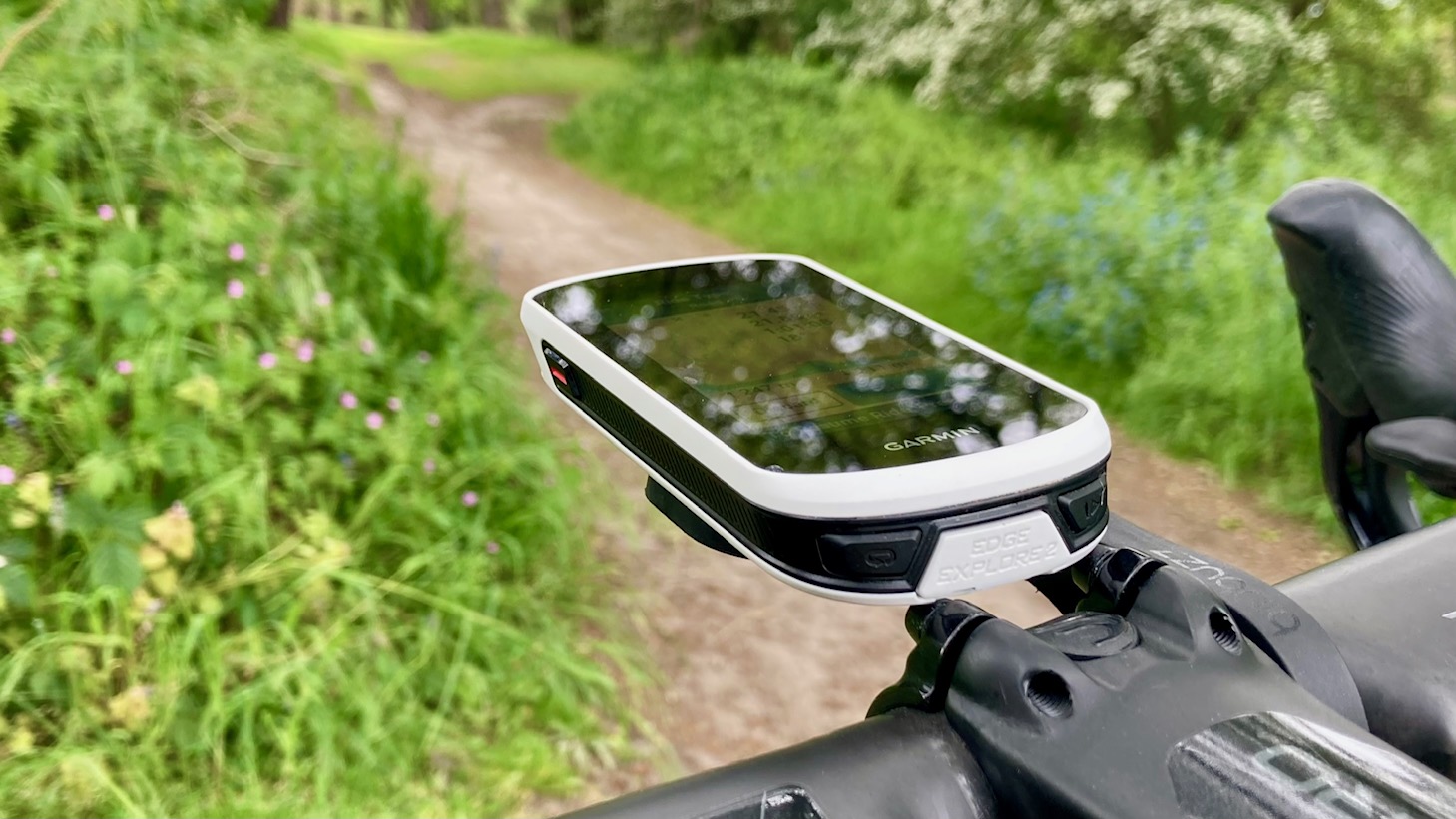
The touchscreen is a major selling point. Many cheaper computers use buttons only, which can feel outdated. The Explore 2’s screen is smooth and responsive, letting you swipe between data screens and interact with maps easily. The mount uses Garmin’s standard quarter-turn system, so it works with most existing setups.
A small but important detail: the Explore 2 uses USB-C charging, not micro-USB. This means faster charging and more compatibility with modern chargers.
Navigation And Mapping
Preloaded Maps And Routing
One of the main reasons to buy the Edge Explore 2 is its navigation power. Out of the box, you get Garmin’s detailed Cycle Maps. These maps include bike paths, roads, trails, and points of interest such as cafes and bike shops. You can search for addresses, specific locations, or even create routes directly on the device.
Turn-by-turn navigation means you’ll get clear directions as you ride, with visual cues and spoken alerts if you have a connected phone. If you go off-course, the device automatically recalculates and gets you back on track.
Route Planning And Importing
Planning a ride is simple. You can:
- Build a route on the Explore 2 itself
- Use Garmin Connect or other mapping platforms (like Komoot or Strava) to design a route and send it wirelessly to your device
- Import GPX files from your computer
This flexibility is important for riders who like to explore new areas or follow group rides.
Climbpro And Elevation Features
The Edge Explore 2 includes ClimbPro, a tool that shows you upcoming climbs, distance to the top, and gradient information. This is useful for pacing yourself on hilly rides. However, it lacks some detailed performance metrics found in higher-end models.
Real-world Example
Imagine you’re touring in a new city. You want to find a bike-friendly route to a park across town. The Explore 2 lets you search for the park, select the best route (avoiding busy roads), and follow clear step-by-step directions.
If you take a wrong turn, it quickly recalculates. These features save time and reduce stress, especially when riding in unfamiliar places.
Battery Life
Battery life is a make-or-break factor for many cyclists. The Edge Explore 2 offers:
- Up to 16 hours in normal mode (navigation, connected sensors, etc.)
- Up to 24 hours in battery saver mode
For most riders, this easily covers a full day of cycling or even a weekend tour. The device also supports external power packs through Garmin’s Charge Power Pack system, ideal for ultra-distance events.
A tip: Using map navigation, screen brightness, and connected sensors will impact battery life. But real-world tests show the Explore 2 often meets or exceeds these claims, outlasting many older Garmin computers and most smartphone-based navigation apps.
Sensor And Connectivity Options
The Explore 2 connects via ANT+ and Bluetooth, supporting:
- Heart rate monitors
- Speed and cadence sensors
- EBike systems (for supported brands)
- Smartphones (for notifications and syncing)
It does not support power meters or advanced cycling dynamics—this is a key difference compared to Garmin’s higher-end Edge models.
Smartphone Integration
Pairing with your phone unlocks features like:
- Incoming call and text alerts
- LiveTrack (share your location in real time with friends/family)
- Weather alerts
- Ride uploads to Garmin Connect
This level of integration is plenty for most riders. For those who want training analysis, Garmin Connect is free and syncs automatically after each ride.
Safety Features
Garmin has made cycling safety a priority. The Edge Explore 2 includes:
- Incident detection: Senses crashes and can alert emergency contacts (if paired with a smartphone)
- Assistance: Quickly sends your location to chosen contacts
- LiveTrack: Lets others follow your ride in real time
These features bring peace of mind, especially for solo riders or those biking in remote areas.

How Does Edge Explore 2 Compare To Other Garmin Models?
Comparing cycling computers can be confusing. Here’s a side-by-side look at how the Explore 2 stacks up against similar Garmin devices:
| Feature | Edge Explore 2 | Edge 530 | Edge 1040 |
|---|---|---|---|
| Screen Size | 3.0″ | 2.6″ | 3.5″ |
| Touchscreen | Yes | No (buttons only) | Yes |
| Battery Life (normal) | 16 hrs | 20 hrs | 35 hrs |
| Navigation | Full | Full | Full |
| Training Features | Basic | Advanced | Advanced |
| eBike Support | Yes | No | Yes |
| Price (USD) | $299 | $299 | $599 |
As you can see, the Explore 2 offers a bigger, easier-to-use touchscreen and great navigation at the same price as the Edge 530. However, it lacks advanced training features, which may matter to racers or performance-focused cyclists.
Real-world Performance And User Experience
Ease Of Use
One of the biggest strengths of the Edge Explore 2 is its user-friendly interface. The menus are simple, icons are clear, and you don’t need to be a tech expert to set up the device. Most users can start riding within minutes of unboxing.
Touchscreen Responsiveness
The screen is responsive, even with gloves or wet hands—a common struggle with older touchscreen devices. Some users note minor lags when zooming maps, but these are rare and don’t impact navigation.
Gps Accuracy
Garmin’s GPS accuracy has always been strong. The Explore 2 uses multi-GNSS (GPS, GLONASS, Galileo) for better tracking, especially in forests or urban areas. This means your ride data—distance, speed, and route—will be reliable.
Software And Updates
Garmin provides regular software updates. These usually fix bugs, add features, or improve performance. Updates are easy to install via Wi-Fi or USB.
Durability
The device is weather-resistant (IPX7-rated), so rain or splashes aren’t a problem. Many users have used the Explore 2 for months of daily riding without issues.
Value For Money
Is the Garmin Edge Explore 2 worth the price? At around $299, it sits in the middle of Garmin’s lineup. Here’s why it offers good value:
- You get a large, quality touchscreen
- Top-notch navigation with preloaded maps
- Good battery life for day or weekend rides
- Excellent safety features
- Easy setup and use
What you don’t get are deep training tools like structured workouts, VO2 max, or power meter support. For most riders, these are not dealbreakers. But for those who want to train for races or analyze every metric, a higher-end model may be better.
What’s Missing? (limitations And Drawbacks)
No device is perfect. Here are a few things the Explore 2 lacks:
- No power meter support: If you use a power meter, you’ll need a different Garmin.
- Basic training analysis: You won’t get advanced metrics like training load, recovery time, or performance condition.
- No Wi-Fi uploads: Ride uploads happen via Bluetooth or USB, not Wi-Fi.
- Slightly lower battery life: Compared to the Edge 530 or 1040, but enough for most users.
- Limited customization: Fewer data field options compared to top-tier models.
Most of these limitations won’t matter to casual or touring cyclists. But they are important to know before buying.
Ebike Integration
A standout feature is direct eBike support. The Explore 2 works with Shimano STEPS and other compatible eBike systems. You can see:
- Battery status
- Assistance level
- Range estimates
- Gear information (if supported)
This is especially useful for eBike touring, where managing battery and range is key. Not all bike computers offer this level of eBike integration.
Garmin Edge Explore 2 Vs. Smartphone Navigation
Many cyclists ask, “Why not just use my phone?” Here’s a quick comparison:
| Feature | Edge Explore 2 | Smartphone App |
|---|---|---|
| Battery Life | 16-24 hrs | 4-8 hrs (typical) |
| Screen Visibility | Excellent in sunlight | Varies (often poor in sun) |
| Weather Resistance | IPX7 rated | Usually needs case |
| Mounting | Secure, handlebar mount | Can be awkward/heavy |
| Sensor Compatibility | Heart/cadence/eBike | Depends on app/hardware |
| Navigation Features | Full cycling maps | Good, but may lack detail |
Phones are great for short rides or casual use, but for all-day navigation, sensor tracking, and weather resistance, a dedicated bike computer like the Explore 2 is usually a better investment.
Common Mistakes When Buying A Bike Computer
Many first-time buyers make mistakes that lead to wasted money or disappointment. Here’s what to watch out for:
- Overbuying features: Don’t pay extra for advanced tools you’ll never use. Focus on what you actually need.
- Ignoring battery life: Many cheaper computers or smartphone apps will die before your ride is over.
- Underestimating the value of maps: If you ride new routes often, clear navigation is critical.
- Choosing a device with poor screen visibility: Glare or small screens make navigation hard.
- Forgetting about future needs: Think about how your cycling might change over the next few years.
- Not considering compatibility: Make sure your sensors, eBike, or accessories will work with your device.
Non-obvious Insights Beginners Miss
- Navigation isn’t just about maps: The quality of rerouting, ease of address search, and speed of map loading can greatly affect your experience. The Explore 2 does well here, but not all devices do.
- Touchscreen matters more than you think: On long rides, being able to quickly adjust screens, zoom in/out, or change routes without fiddling with buttons can save time and frustration.
- EBike integration is future-proofing: Even if you don’t own an eBike now, the Explore 2’s support might be valuable if you upgrade later.
- Safety features only work when connected: For incident detection and assistance, you must pair the device with your smartphone. Some users miss this step and wonder why alerts don’t work.
Alternatives To Consider
If you’re not sure the Edge Explore 2 is right for you, consider these alternatives:
- Wahoo Elemnt Bolt: Compact, button-based, strong battery, but less mapping detail.
- Bryton Rider 750: Similar price, color screen, but software is less polished.
- Hammerhead Karoo 2: Expensive, but best-in-class screen and navigation.
- Garmin Edge 530: Same price, more training features, but no touchscreen or eBike support.
Your choice depends on your priorities: navigation, training, price, or ease of use.
Is Garmin Edge Explore 2 Worth It? The Final Verdict
The Garmin Edge Explore 2 is an excellent choice for recreational cyclists, commuters, and touring riders who want powerful navigation, safety features, and a big, friendly touchscreen. It’s easy to set up, works reliably, and offers good battery life—without making you pay for advanced training tools you may never use.
If you need deep training metrics, power meter support, or maximum battery life, look at the Garmin Edge 530 or 1040. If navigation, maps, and user experience matter most, the Explore 2 is hard to beat for the price.
Before you buy, consider your riding style, future plans, and which features you’ll actually use. For most everyday cyclists, the Edge Explore 2 is a smart, future-proof investment that makes every ride easier and more enjoyable.
For more details on the device and its features, you can visit the official Garmin website.
Frequently Asked Questions
Is The Garmin Edge Explore 2 Waterproof?
Yes, the Edge Explore 2 is IPX7-rated, which means it can handle rain, splashes, and even being submerged in up to 1 meter of water for 30 minutes. It’s built for real-world cycling conditions.
Can I Use The Edge Explore 2 With A Power Meter?
No, the Explore 2 does not support power meters. If you train with power data, you’ll need to consider Garmin’s higher-end Edge models like the 530, 830, or 1040.
How Does Ebike Integration Work?
If you have a compatible eBike (such as Shimano STEPS), the Explore 2 connects via ANT+ and shows battery, range, and assist level right on the screen. This makes managing your ride much easier, especially for long tours.
Will The Edge Explore 2 Work Without A Smartphone?
Yes, it works as a standalone device for navigation and ride recording. However, some features (like incident detection alerts, smart notifications, and LiveTrack) require a connected smartphone.
How Often Does Garmin Update The Explore 2?
Garmin regularly releases software updates to add features and fix bugs. Updates are easy to install via Garmin Express on your computer or wirelessly. Keeping your device updated is recommended for the best experience.